VLC for Android
VideolabsVideo Players & Editors
4.025.80K Reviews
- Version
- Varies With Device
- Installs
- 500.00M
- Age Rating
- Everyone
Screenshots
Our Review of VLC for Android
 Analysis by Appyee
If you're on the hunt for a versatile and reliable media player for your phone, let me tell you about VLC for Android. This app is the Swiss Army knife of media players, and I've been diving deep into its features to see what makes it tick. Spoiler alert: there's a lot to love.
Features That Stand Out
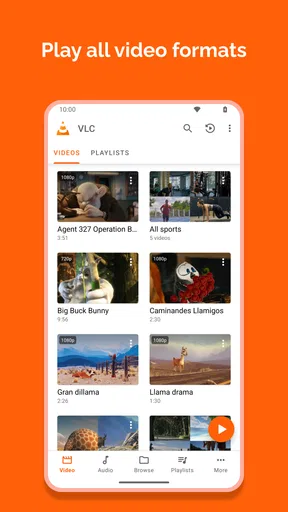
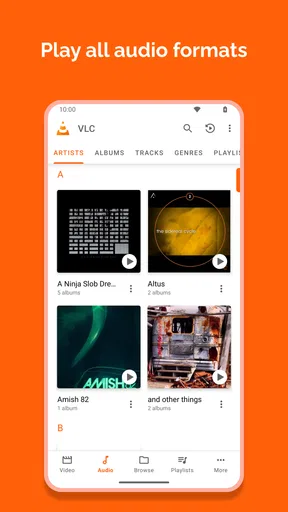
First off, VLC for Android is renowned for its ability to play just about any media file you throw at it. Whether it's video, audio, or even streaming protocols, this app handles them all with ease. I tested it with a variety of file types—MP4, AVI, MKV, you name it—and it played them all without a hitch. The app's compatibility is truly impressive.
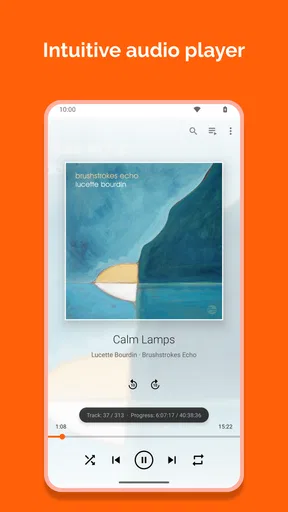
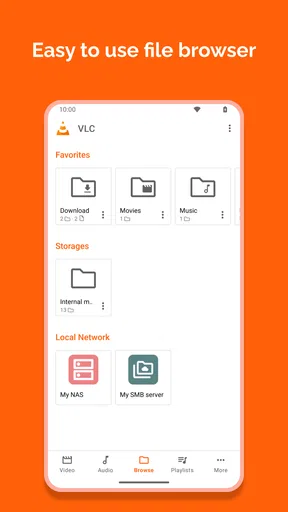
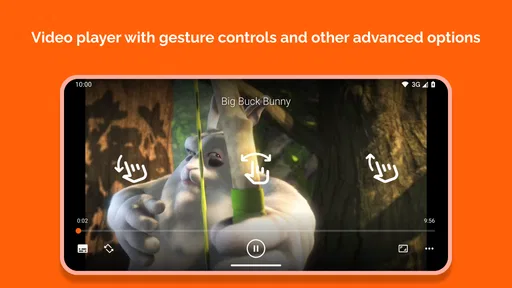
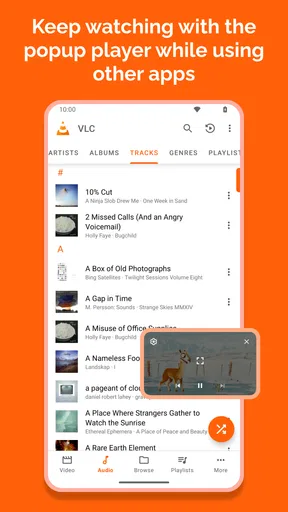
Another standout feature is the app's intuitive interface. It's sleek and user-friendly, making navigation a breeze. You can easily browse your media library, create playlists, and even apply subtitles to your videos. I particularly appreciate the gesture controls; swiping up and down to adjust brightness and volume is a nice touch that makes viewing on the go super convenient.
Customization and Control
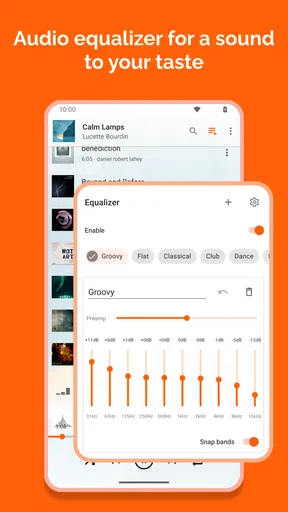
Now, let's talk about customization. VLC for Android offers a range of settings that let you tailor your viewing experience. You can tweak the equalizer settings to get that perfect sound or adjust playback speed if you're in a rush. I found the ability to customize the app's appearance pretty neat, with options to change themes and layout to suit your style.
For those who love streaming, VLC supports network streams and lets you access content from your local network. I gave it a shot with my home server, and the connection was seamless. The app also supports Chromecast, so you can easily beam your media to the big screen.
Performance and Usability
In terms of performance, VLC is a powerhouse. The app runs smoothly on both high-end and budget devices. I tested it on an old phone, and it still delivered a lag-free experience. The developers have done a fantastic job optimizing it for various hardware specifications.
Usability is another area where VLC shines. The learning curve is minimal, which is great for users who aren't tech-savvy. The app guides you through its features with helpful prompts and tips. Plus, it's available in multiple languages, making it accessible to a global audience.
Why VLC Is a Must-Have
So, why should you consider downloading VLC for Android? In a nutshell, it's a free, open-source media player that doesn't compromise on quality or features. Unlike some paid alternatives, VLC doesn't bombard you with ads or push premium versions. What you see is what you get, and what you get is pretty awesome.
With its extensive file support, customizable settings, and robust performance, VLC is a no-brainer for anyone looking to enhance their mobile media experience. Whether you're a casual viewer or a media enthusiast, this app has something for everyone.
In conclusion, VLC for Android is more than just a media player—it's a gateway to endless entertainment possibilities. Its versatility, ease of use, and commitment to delivering a quality product make it a standout choice in a crowded market. So go ahead, give it a try, and see why VLC continues to be a favorite among millions of users worldwide.
Privacy and Permissions
See what permissions an app requests and how it handles your data.
- Device & app history
- read sensitive log data
- Photos/Media/Files
- read the contents of your USB storage, modify or delete the contents of your USB storage
- Storage
- read the contents of your USB storage, modify or delete the contents of your USB storage
- Microphone
- record audio
- Other
- view network connections, pair with Bluetooth devices, change network connectivity, full network access, change your audio settings, run at startup, draw over other apps, control vibration, prevent device from sleeping, modify system settings
How VLC for Android Compares
Full ComparisonChoose iTunes for Apple-centered music access, MX Player for feature-rich Android video playback, or VLC for an ad-free, no-purchase media player.
| App | Developer | Rating | Price |
|---|---|---|---|
 iTunes | Apple | 4.7 | Free |
 MX Player | Amazon Mobile LLC | 4.2 | Free |
 VLC for AndroidThis App | Videolabs | 4.0 | Free |
Verdict
Strengths of VLC for Android
- Supports a wide range of media formats.
- Ad-free experience for uninterrupted use.
- Customizable playback settings.
- Supports network streaming and subtitles.
- User-friendly interface with quick navigation.
Limitations of VLC for Android
- Lacks advanced audio editing features.
- Occasional playback lag on older devices.
- Limited support for certain codecs.
- Complex settings may confuse new users.
- File management could be more intuitive.
Similar Picks in This Category
View All
Google TV
Google LLC3.9

iTunes
Apple4.7

YouTube
Google LLC3.8

MX Player
Amazon Mobile LLC4.2

CapCut - Video Editor
Bytedance Pte. Ltd.3.5

PLAYit-All in One Video Player
PLAYIT TECHNOLOGY PTE. LTD.4.5
Frequently Asked Questions
What features does VLC for Android offer?
VLC for Android is a versatile media player that supports a wide range of audio and video formats, including MP4, AVI, and MKV. It also offers features like subtitles support, audio and video filters, and network streaming from protocols like HTTP and RTSP. Additionally, VLC for Android allows users to play media files directly from folders, making it a comprehensive tool for media consumption.
Is VLC for Android user-friendly for beginners?
Yes, VLC for Android is designed with a user-friendly interface that makes it easy for users of all levels to navigate. The app provides intuitive controls and a straightforward layout, allowing you to quickly access your media files and adjust settings. Whether you're a tech-savvy user or new to media players, VLC ensures a seamless user experience.
Does VLC for Android support streaming content?
Absolutely, VLC for Android supports streaming content from various network protocols, such as HTTP, RTSP, and HLS. This feature allows users to stream their favorite movies, TV shows, and live broadcasts directly from the internet. By entering the URL of the content, VLC can easily connect and start streaming your desired media.
How does VLC for Android handle subtitles?
VLC for Android provides excellent support for subtitles, enhancing your viewing experience. It allows you to add external subtitle files in formats like SRT, SUB, and SSA. You can also customize subtitle settings, such as font size, color, and synchronization, ensuring that subtitles are displayed clearly and in sync with your video.
Is VLC for Android safe to use?
Yes, VLC for Android is considered safe to use and is a trusted application in the media player category. Developed by the reputable VideoLAN organization, it is free of malware and spyware. It is regularly updated to fix bugs and enhance security, providing users with a reliable and secure media playing experience.
